A lot of business owners open QuickBooks for the first time, enter a handful of transactions, and start running reports within the same week. Then a few months later, they notice duplicated transactions, categories that don’t quite make sense, or numbers on a report that don’t match what they expected. The software itself works fine, the trouble usually comes from skipping the groundwork. A thoughtful QuickBooks setup for small business owners starts with organizing your information before you ever touch the software, not after.
Why QuickBooks Is Important for Small Business Accounting
Accounting software gives your business one organized place to record income, expenses, customer payments, supplier costs, and account balances, rather than scattering them across spreadsheets, paper receipts, and bank statements. As small business accounting software goes, QuickBooks is built to handle that volume of daily transactions and turn them into reports you can actually read.
That said, the software doesn’t replace your judgment. It still relies on source documents, correct categorization, regular reconciliation, and periodic review to produce numbers you can trust. QuickBooks organizes what you give it; it doesn’t verify whether what you entered was accurate in the first place.
Preparing Your Business Before Setting Up QuickBooks
Before you create a single account inside the software, gather the basics: your legal business name and contact information, your business structure, your accounting period, and whether you’ll use cash or accrual accounting. Pull together your bank and credit card account details, any outstanding customer invoices, unpaid supplier bills, and existing account balances, including loans.
It also helps to have a clear list of the products or services you sell, along with historical financial records if you’re transitioning from another system. If payroll or sales tax applies to your business, gather that information too. Opening balances should always come from actual bank statements, prior reports, or tax filings, never estimates or rough guesses. If anything about your accounting method or tax setup feels uncertain, it’s worth checking with a qualified professional before you proceed.
Steps to Set Up QuickBooks Correctly
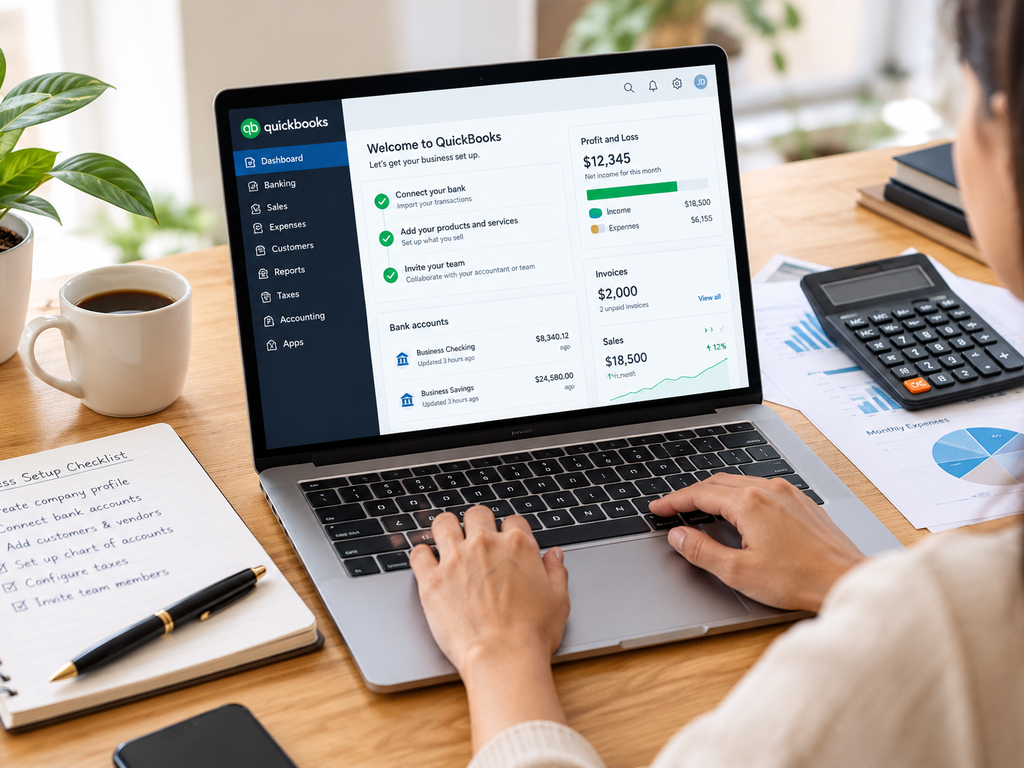
Once you have your information in hand, the setup itself follows a fairly practical sequence. Start by choosing the QuickBooks product and subscription level that fits your current needs, whether that’s QuickBooks Online or QuickBooks Desktop, since features and setup steps differ between the two. Enter your company information accurately, then select a sensible conversion or starting date; this is the point from which your books will track forward.
From there, create or review your chart of accounts, then add your customers, suppliers, products, and services. Configure your invoice and expense categories, and enter opening balances only once they’ve been verified against your records. Connect your bank and credit card accounts where it makes sense to do so, and review any imported transactions closely for duplicates before accepting them.
Set user access according to what each person on your team actually needs to see or edit, then test your setup by running a few reports before relying on them for decisions. Finally, reconcile your first completed reporting period to confirm everything lines up. A solid QuickBooks setup for small business use doesn’t need to be complicated, but each of these steps matters more than it might seem at first glance.
Creating and Organizing Your QuickBooks Chart of Accounts
Your QuickBooks chart of accounts is the organized list of categories, assets, liabilities, equity, income, and expenses that every transaction gets sorted into. Too few accounts and your reports become vague and unhelpful. Too many overly specific or duplicated accounts, and your books become a hassle to maintain consistently.
Aim for clear, sensible naming and avoid creating near-duplicate categories for the same thing. Subaccounts can help when they genuinely improve your reporting, but they shouldn’t be added just because they seem organized. If you’re ever tempted to delete or merge existing accounts, consider their transaction history first, since that history feeds directly into your financial reports.
Setting Up Income, Expenses, and Financial Categories
How you organize income and expenses should reflect how you actually want to review your business’s performance. Common categories include sales, professional fees, advertising, software, insurance, office costs, travel, utilities, contractor payments, equipment, and bank charges.
It’s worth remembering that a routine purchase, a fixed asset, a loan payment, an owner withdrawal, and a standard business expense don’t all belong in the same bucket, even if they feel similar day to day. When a classification touches depreciation, equity, payroll, or tax reporting, it’s a good moment to get professional input rather than guessing.
Common QuickBooks Setup Mistakes Small Businesses Should Avoid
A handful of mistakes show up again and again: picking the wrong starting date, entering opening balances that aren’t supported by actual records, or importing the same historical transactions twice. Creating duplicate customers, suppliers, or accounts adds unnecessary clutter, as does mixing personal and business transactions in the same account.
Overly broad expense categories make reports hard to interpret, while too many unnecessary accounts make bookkeeping tedious. Recording loan payments entirely as expenses, rather than splitting principal and interest correctly, distorts your numbers. Giving every user full administrative access creates unnecessary risk, and skipping reconciliation or treating uncategorized transactions as “done” both leave gaps in your records. Automated rules can also miscategorize transactions, so they’re worth checking rather than trusting blindly.
How a QuickBooks Accountant Can Help Your Business
A knowledgeable QuickBooks accountant can help with account structure, verified opening balances, transaction workflows, cleanup projects, reconciliations, and reporting, along with guiding your staff through day-to-day use. This kind of support is particularly useful for businesses moving from spreadsheets or another accounting platform, where proper QuickBooks setup services make the transition considerably smoother.
Rakow & Co. offers bookkeeping services built around fixed monthly packages, along with bookkeeping clean-up support for businesses whose records have fallen behind, using cloud accounting software including QuickBooks. Clients work with a dedicated accountant whether they’re based in New Jersey or working remotely elsewhere in the US.
Maintaining Accurate Financial Records With QuickBooks
Getting your setup right is only the starting point. Ongoing tasks include reviewing bank-feed transactions, attaching receipts and supporting documents, sending and monitoring invoices, and recording supplier bills as they arrive. Reconciling your accounts regularly, checking for duplicate entries, and reviewing uncategorized transactions all keep your books trustworthy over time.
Restricting user permissions appropriately, reviewing financial reports periodically, and closing completed accounting periods when appropriate round out a healthy routine. None of this needs to happen daily; the right frequency depends on your transaction volume and how complex your business has become. When the workload outpaces your available time, seeking QuickBooks help for small businesses from a qualified professional is a reasonable next step rather than a sign of falling behind.
Conclusion
Accurate business information, a sensibly organized chart of accounts, verified opening balances, careful transaction imports, and regular reconciliation are what turn QuickBooks from a place to store numbers into a genuinely useful financial tool. A careful QuickBooks setup for small business use pays off well beyond the first few weeks. If your setup needs a second look or your books have gotten away from you, reaching out to Rakow & Co. is a straightforward way to get things back on track.
Frequently Asked Questions
Why is QuickBooks setup important for small businesses?
Accurate setup supports consistent transaction recording, reliable reconciliation, meaningful reporting, and a clearer overall view of business finances.
How should a small business set up QuickBooks correctly?
Organize your records, choose a starting date, build suitable accounts, enter verified balances, connect accounts carefully, then test reports.
What is a chart of accounts in QuickBooks?
It’s the organized list of asset, liability, equity, income, and expense accounts used to classify financial transactions.
Can an accountant help with QuickBooks setup?
Yes, an accountant can assist with account structure, opening balances, account mapping, reconciliations, reporting, cleanup, and workflow decisions.
What are common QuickBooks setup mistakes to avoid?
Common mistakes include duplicate imports, incorrect opening balances, excessive categories, mixed personal transactions, broad access permissions, and missed reconciliations.